How to copy trades to multiple prop firm accounts in NinjaTrader 8
Running one strategy across several evaluation and funded accounts is mostly a logistics problem: the same order, in the right size, on every account, without one of them drifting or breaching a rule. Here is how to set it up properly inside NinjaTrader 8.
1. Start with the rules, not the software
Every firm publishes its own position on copy trading. Many allow you to mirror trades between your own accounts; some restrict copying between firms, between evaluation and funded stages, or cap the number of accounts you may run. A copier executes your configuration — it does not know your contracts. Read each firm's rules first and keep the accounts that cannot be copied out of the follower list.
2. Connect every account in the same NinjaTrader instance
A local copier mirrors between accounts connected in one NinjaTrader 8 instance. Add each connection (Rithmic, Tradovate, CQG and so on) in Connections → configure, connect them all, and check that every account appears in Control Center → Accounts. Pick one account as the master — the one you actually click on — and treat the rest as followers.
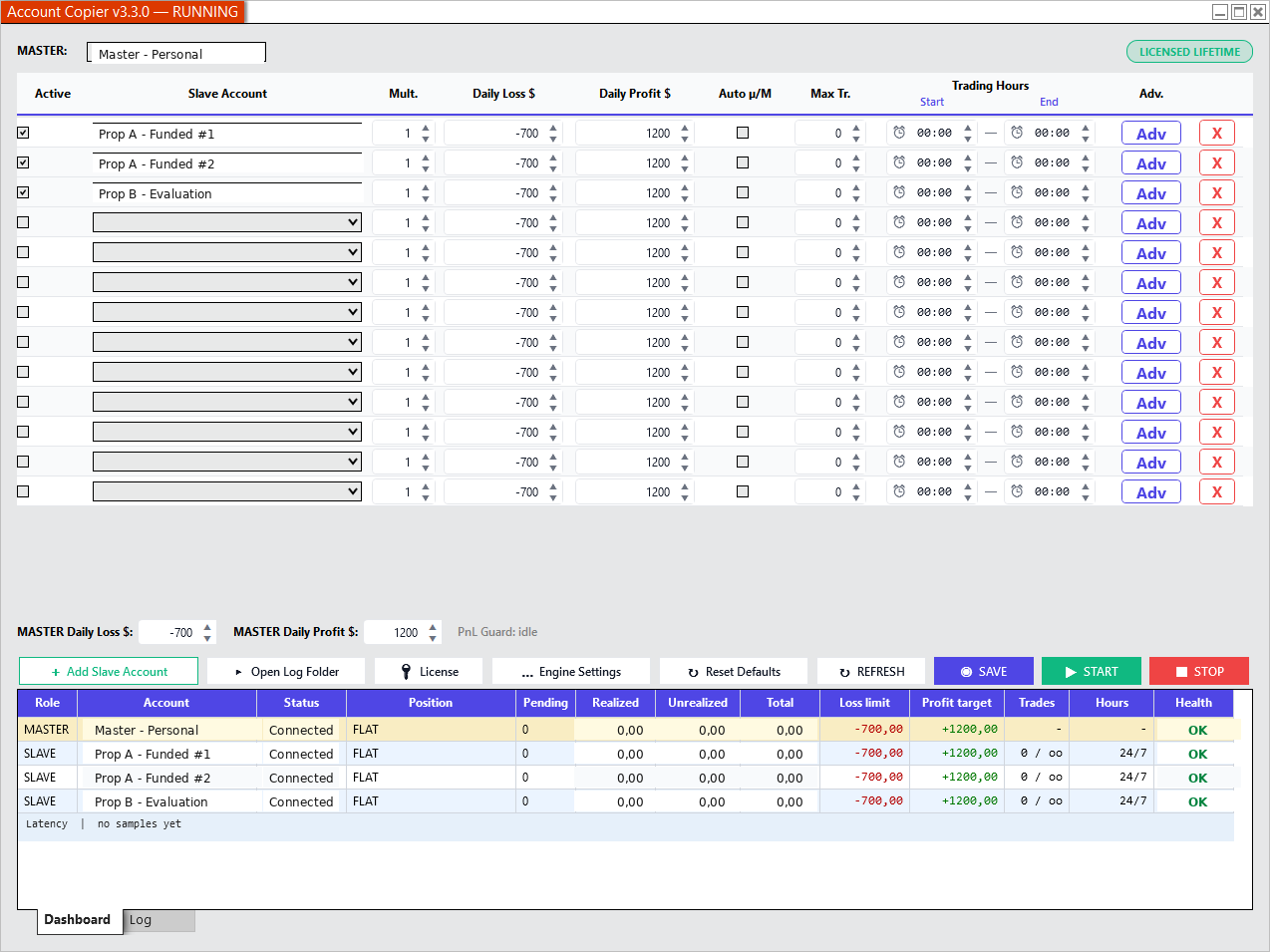
One master, as many followers as you connect. Account names are examples.
3. Size each account on purpose
A 50K evaluation and a 150K funded account should not carry the same position. Give every follower its own multiplier, and decide where micros make sense: trading ES on the master while a smaller account follows in MES keeps the same idea at a tenth of the exposure. Two details matter here:
- Quantity is not exposure. One ES and one MES are not the same trade. Set the multiplier so the resulting size is what you intend on that account.
- A missing micro must block, not fall back. If the micro contract is not available on a follower's connection, the safe behaviour is to block the entry on that account — not to send the full-size contract instead.
4. Put a daily loss limit on every follower
The usual way an account is lost is not the strategy: it is one account that kept a position the others closed, or one that took a fill the others missed. Give each follower its own daily loss limit and profit target with auto-flatten, plus a maximum number of trades per day. A guard on the master alone does not protect a follower that has drifted.
5. Count the day the way the exchange does
CME futures sessions close at 17:00 Central Time, and that is the day boundary futures prop firms generally use for daily limits. If your copier resets its locks at your PC's midnight, a limit hit in the US afternoon can be released while the same session is still open. Use a session reset time you can set — and check it once after installing.
6. Test on simulation before going live
- Set a Sim master and two Sim followers with different multipliers.
- Place a limit order with an ATM bracket on the master: the entry, stop and target must appear on each follower in the right size.
- Move the stop, then cancel the order: both must follow.
- Set a small daily loss on one follower and hit it: that account must flatten and stop copying while the others continue.
- Press STOP with a pending entry order: decide what you want left on the followers, and check that it is what happens.
Local copier or cloud copier?
Cloud services relay your orders through their servers and usually bill monthly, often per connected account. A local add-on runs inside NinjaTrader on your PC or VPS: no relay between your accounts, no per-account subscription, and nothing to re-authenticate. The trade-off is that every account must be connected in the same NinjaTrader instance.
Account Copier — one master, unlimited followers
Per-account multiplier and Auto Micro/Mini, daily loss and profit guards with auto-flatten, 17:00 CT session reset, self-healing reconciliation. Local NT8 → NT8, one-time license, 7-day free trial.
Explore Account Copier Try it free for 7 daysFAQ
Can I copy trades between prop firm accounts in NinjaTrader 8?
Technically yes: any accounts connected in the same NinjaTrader 8 instance can be mirrored by a local trade copier add-on. Whether it is allowed depends on each firm's rules — many allow copying between your own accounts, some restrict it between firms or between evaluation and funded accounts. Read the rules of every firm you trade with before you start.
How many accounts can a NinjaTrader trade copier handle?
It depends on the copier. Some cap the number of follower accounts or charge per account. PropNexus Account Copier has no limit on follower accounts; the practical ceiling is your PC or VPS and your broker connections.
Do I need a cloud service to copy trades?
No. A local copier runs inside NinjaTrader and sends orders through the platform's own order API, so there is no relay server between your accounts and no network hop added to each order.
When does the trading day reset for daily loss limits?
Futures prop firms generally follow the CME session, which closes at 17:00 Central Time. A copier that counts the day from your PC's midnight will reset its limits at the wrong moment; use one that lets you set the session reset time.